Step 2 - Customize Workflow
Creating a workflow in DILLY AI is as simple as writing a tweet or posting on Instagram. You can:
Upload or Link:
Upload a pre-written document (e.g., MS Word or Google Docs) that outlines your requirements, or provide a Google Doc link to automatically generate your workflow agent.
Edit in the Built-In Editor:
Use the provided Editor to create or fine-tune your workflow directly.

Format
Adjust text styles, layouts, and visual presentation for clarity and readability.

Logic
Define and modify the logic behind your workflow to ensure it functions exactly as intended.
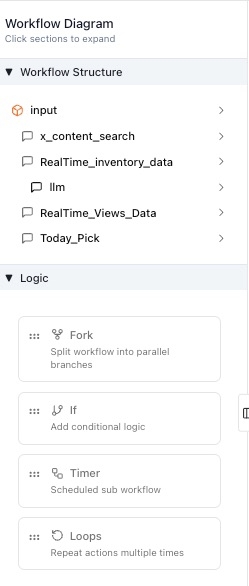
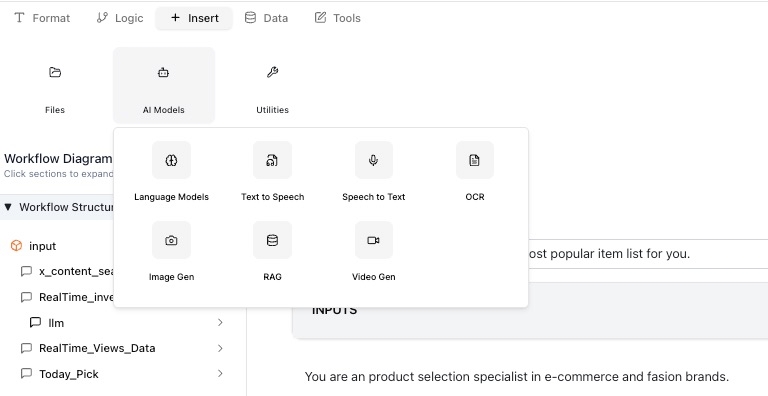
Insert
Add additional elements such as prompts, commands, or media to enrich your workflow.
Data
Manage and integrate datasets that the workflow will use to produce accurate outputs.

Tools
The Tools section provides access to commonly used APIs and integrations, enabling you to expand your workflow's functionality. Key features include but not limited to

STT (Speech-to-Text): Convert spoken audio into text, perfect for transcribing meetings, creating captions, or processing voice commands.
TTS (Text-to-Speech): Transform text into natural-sounding speech, ideal for creating voice assistants or audio content.
Social Media Integration:
Seamlessly connect your workflow to platforms like Twitter (X) and Instagram, enabling automated posting, content analysis, or engagement tracking.
The Tools section is constantly growing, with more APIs being added regularly to enhance your workflow capabilities. Best of all, no coding knowledge is required—simply click to add the desired API to the appropriate logical point in your workflow.
This seamless integration allows you to leverage powerful tools effortlessly, empowering you to create sophisticated workflows with just a few clicks.
Last updated