Step 3 - Define Your Bot’s AI Identity
In this step, you’ll set up your chatbot’s AI identity by selecting a Category and Role:
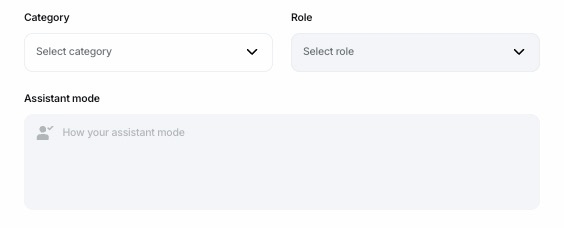
Category and Role:
Choose a Category that best aligns with your chatbot’s purpose and a Role that defines its specific function.
For example, a "Customer Support" Category might include Roles such as "FAQ Assistant" or "Live Chat Helper."
Pre-set Prompt in Assistant Mode:
Based on your selected Category and Role, a pre-set prompt will automatically populate in the Assistant Mode input box. This ensures the chatbot’s behavior and responses are tailored to the chosen identity.
Custom Prompts:
If you select "Others" or find that the pre-set prompt does not fully meet your requirements, you can write a custom prompt to define your bot’s behavior and communication style.
This flexibility allows you to create an AI identity that is either highly specific using the predefined options or entirely customized to meet your unique needs.
Last updated