Step 2 - Choose Access Type
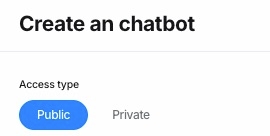
Public:
For individual users: Public means your chatbot is accessible to all platform users.
For business customers: Public allows you to share your agent with the general public, making it available for external audiences or customers.
Private:
For individual users: Private means the chatbot is currently for your personal use only. In the future, we will introduce group access and premium features to enhance Private options.
For business customers: Private ensures the chatbot is used exclusively within your company. This option includes User Management capabilities, allowing you to control access and permissions for internal team members.
By selecting the appropriate Access Type, you can tailor your chatbot's availability to suit your goals—whether personal, public-facing, or business-oriented. Additionally, consider whether your agent will include paid access options, as this functionality will soon be available for public testing.
Last updated