Step 1 - Agent Profile
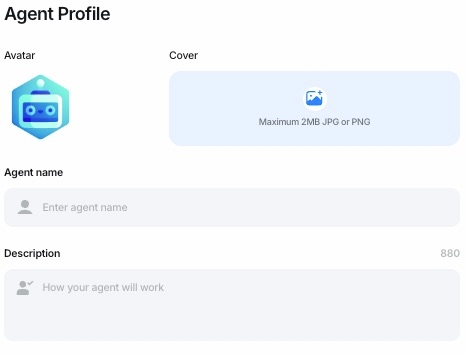
Start by setting up your chatbot’s Agent Profile. This is where you define the identity and personality of your bot:
Avatar: Upload an image (up to 2MB, JPG or PNG) that visually represents your agent. A recognizable avatar can make your bot more engaging and relatable.
Cover: Add a cover image to personalize the visual experience for users.
Agent Name: Choose a name for your chatbot. This name will be displayed wherever the agent interacts with users.
Description: Provide a brief description (up to 880 characters) outlining how your agent will work, its purpose, and the value it brings to users.
A well-crafted Agent Profile helps set the tone and expectations for your chatbot, making it both functional and user-friendly.
Last updated