Step 4 - Restrict Knowledge Base
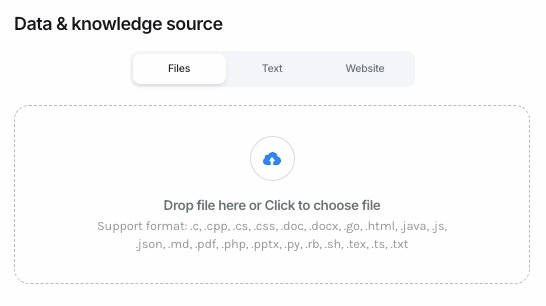
The Knowledge Base defines the source of information your chatbot will use to answer questions. You have three modes to choose from:
Files:
Upload files that your bot will reference for answers.
Supported formats include
.c, .cpp, .cs, .css, .doc, .docx, .go, .html, .java, .js, .json, .md, .pdf, .php, .ppt, .pptx, .py, .rb, .sh, .tex, .ts, .txt, and more.
Text:
Enter a custom text snippet that acts as the knowledge source for your chatbot. This is ideal for quick, specific information or guidelines.
Website:
Input a website URL that the chatbot can use as its reference source. This allows your bot to answer questions based on content available on the selected site.
Bot Behavior
You can configure whether your chatbot’s responses are:
Based on: Combining general AI knowledge with the uploaded sources.
Only based on: Restricting answers strictly to the provided Files, Text, or Website.
This flexibility ensures your bot delivers accurate, relevant, and context-specific responses tailored to your needs.
Last updated